
Integrated Development Environments (IDEs)
An Integrated Development Environment (IDE) offers integrated editing, compiling, debugging and project-management facilities for programmers. We have several installed on our Linux machines (look in the "Applications/Programming" taskbar menu). This page summarises them to help you decide which to use
An IDE that can be used in the 1st and 2nd year coursework labs needs to
- Support C++
- Compile and run helloworld.cc easily
- Support projects (i.e. multiple source files)
Debugging support, version control, support for other languages, cross-compilation support, multi-user development support, and availability on Windows/MacOS would be bonuses. It also would be useful if we could add to the project templates that IDEs offer.
I haven't tried to customize the IDEs. All of them have editors that support syntax-colouring, name-completion, folding, and contextual language help, and they all support plugins. Natively, or via plugins, they all have debugging and versioning support. They differ most in their availability on different Operating Systems, the ease with which they can compile simple programs, and the sophistication of their project support.
NetBeans and Eclipse seem to be best supported. Geany and Anjuta are often updated, but are less ambitious. Codeblocks hasn't changed for a while - which of course might not be a bad thing.
Summary
| IDE | Simple? | Project Support | Debugging | Other Languages | Other Platforms | Versioning |
 Geany (features) Geany (features) | Yes | Some | GeanyGDB plugin | C, Java, PHP, HTML, Python, etc | Windows, MacOS | GeanyVC plugin |
 Anjuta (features) Anjuta (features) | No. Takes >3 minutes to warm up. It scans for packages | Yes | gdb | C, python, Java, etc | No | git, subversion, cvs |
 NetBeans (features) NetBeans (features) | No. 1st window appears in 10 secs, and asks me a question I can't respond to | Yes | gdb | Java | Windows, MacOS | CVS, Subversion, Mercurial |
 codeblocks
(features) codeblocks
(features) | Nearly. Takes 15secs to load up. Works, but it's noisy | Yes | Supports various debuggers | No | Windows, MacOS | AutoVersioning |
 Eclipse (features) Eclipse (features) | No. Asks me to select a workspace. It rejected the default. Browsing failed too. | Yes | Yes | Java | Windows, MacOS | EGit plugin, etc |
| xcc | Yes | Some | No | None | No | No |
Geany
 Geany has been used at CUED for a year or so with 1st and 2nd
years. Students new to programming find it easy to use, and single-file source code is quickly dealt
with - a file can be dropped on the
icon and 2 clicks (5 seconds) later the program's running. It supports
several languages. It
has simple project support - there's a project plugin too but it's rather buggy. In the 1st year geany's used with a project that's already
been created. The problems that the new
students have had with the program are not all unique to geany
Geany has been used at CUED for a year or so with 1st and 2nd
years. Students new to programming find it easy to use, and single-file source code is quickly dealt
with - a file can be dropped on the
icon and 2 clicks (5 seconds) later the program's running. It supports
several languages. It
has simple project support - there's a project plugin too but it's rather buggy. In the 1st year geany's used with a project that's already
been created. The problems that the new
students have had with the program are not all unique to geany
- Compile or Build? - Geany is lightweight, but even so there are too many buttons. Students compile a source file that's part of a project and are puzzled when the program hasn't changed. Geany version 14 had a bug that caused the Run button to be disabled permanently if students got too confused about Build and Compile.
- Project Integrity - once they've loaded a project in, students load further self-contained source files in without worrying whether they'd become part of the project
- Vulnerable project files - geany's project files are text files. Students load them into geany as if they were source files, and sometimes try to edit them.
- Link errors - even students who can confidently write single-file source files are puzzled by link error messages
Anjuta
 Anjuta looks rather like geany (i.e. lightweight). When I
created a source file in it, I couldn't see how to compile it so I tried to
create a project using the New
Project Wizard which isn't fresher-friendly ("... It will ask for details of the initial structure
for the application. Please answer the questions carefully, as it may not be
possible to change some of the settings later"). The range of plugins includes a flashy graphical class
hierarchy plugin and the
"OpenEmbedded SDK Plugin" which helps with cross-compilation.
Anjuta looks rather like geany (i.e. lightweight). When I
created a source file in it, I couldn't see how to compile it so I tried to
create a project using the New
Project Wizard which isn't fresher-friendly ("... It will ask for details of the initial structure
for the application. Please answer the questions carefully, as it may not be
possible to change some of the settings later"). The range of plugins includes a flashy graphical class
hierarchy plugin and the
"OpenEmbedded SDK Plugin" which helps with cross-compilation.
NetBeans
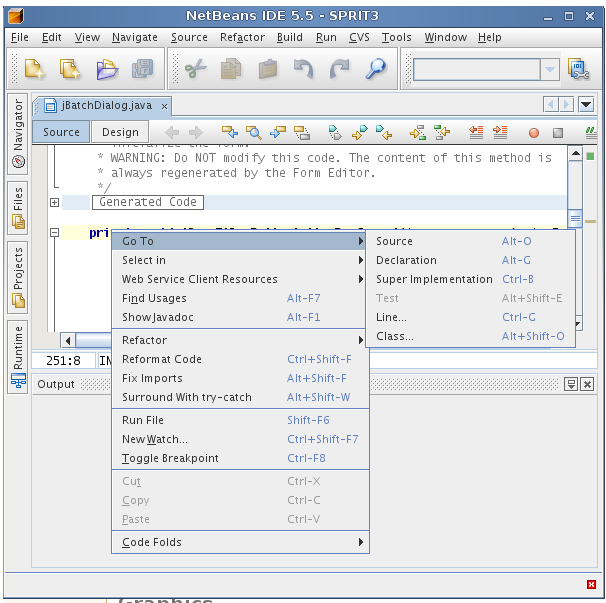 NetBeans was designed for Java (and is written in Java). We've
installed the C++ plug-in. It's been used by 4th year project students. It
claims to have a powerful GUI Builder and be the the tool of choice for teams
working in a collaborative environment with customizable Project templates and
a build process, which relies on industry standards such as Apache Ant, make, Maven, and rake, rather than a proprietary build process.
C++ support is less extensive than Java support.
NetBeans was designed for Java (and is written in Java). We've
installed the C++ plug-in. It's been used by 4th year project students. It
claims to have a powerful GUI Builder and be the the tool of choice for teams
working in a collaborative environment with customizable Project templates and
a build process, which relies on industry standards such as Apache Ant, make, Maven, and rake, rather than a proprietary build process.
C++ support is less extensive than Java support.
codeblocks
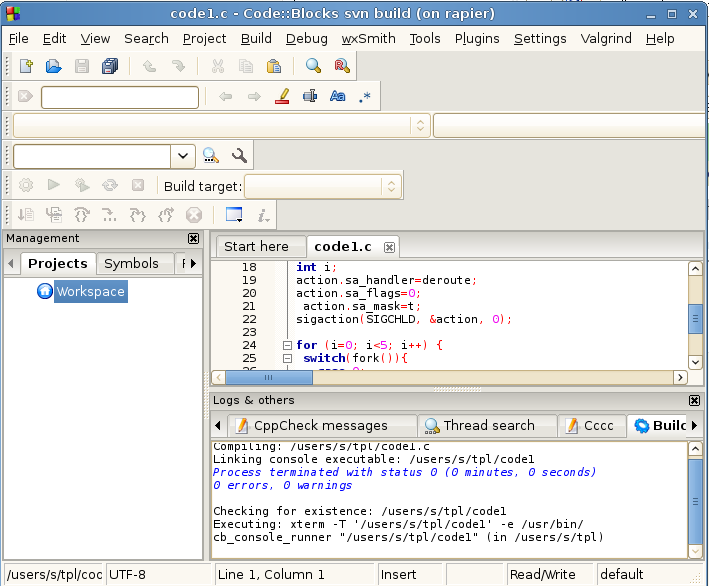 codeblocks has advocates in Div F. It can import projects from MS Visual
Studio and DevC++. It has a busy front-end by default with Valgrind and
wxSmith menus (good for the IIA Software Project?) and
several
rows of icon bars and input fields. Output is chatty too. Running a simple
program produces
codeblocks has advocates in Div F. It can import projects from MS Visual
Studio and DevC++. It has a busy front-end by default with Valgrind and
wxSmith menus (good for the IIA Software Project?) and
several
rows of icon bars and input fields. Output is chatty too. Running a simple
program produces
  Linking console executable: /tmp/hello
  Process terminated with status 0 (0 minutes, 2 seconds)
  0 errors, 0 warnings

  Checking for existence: /tmp/hello
  Executing: xterm -T '/tmp/hello' -e /usr/bin/cb_console_runner "/tmp/hello" (in /tmp)
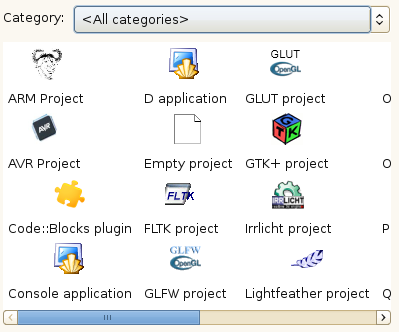
It doesn't force you to create a project, but you gain access to extra features (code statistics, etc) if you do. The range of project templates is extensive
Eclipse
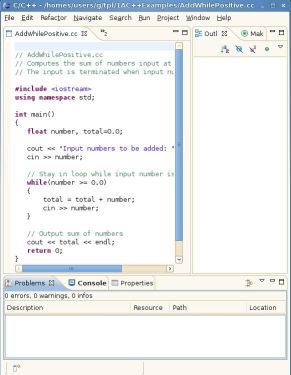 Eclipse is on the MDP disc. It was designed for Java (and is written in
Java) but has a C/C++ CDT plugin. It's widely used (there's an O'Reilly book about it, and C/C++ Development with Eclipse
looks thorough). Much of the documentation is aimed at Java users though, and
it's provocatively heavyweight. It has its own Foundation and Committee,
podcasts, a long
list of related projects, and of
these IDEs
seems to be the one that's most used commercially (e.g. a recent headline says
that "Sigasi, has just released the first commercial VHDL plugin for Eclipse").
Eclipse is on the MDP disc. It was designed for Java (and is written in
Java) but has a C/C++ CDT plugin. It's widely used (there's an O'Reilly book about it, and C/C++ Development with Eclipse
looks thorough). Much of the documentation is aimed at Java users though, and
it's provocatively heavyweight. It has its own Foundation and Committee,
podcasts, a long
list of related projects, and of
these IDEs
seems to be the one that's most used commercially (e.g. a recent headline says
that "Sigasi, has just released the first commercial VHDL plugin for Eclipse").
One project is the Eclipse IDE for Education which aims to provide "an environment with reduced clutter ... a streamlined environment featuring stripped down versions of wizards for creating common elements". They say that they "currently only support the Java programming language. Scheme support should (hopefully) be available shortly, followed by Prolog. Note that this project is currently in incubation"
xcc
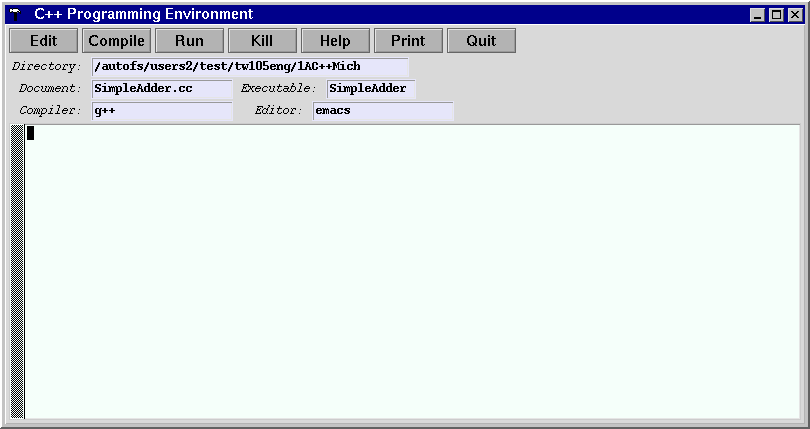 xcc isn't an IDE, it's just a front-end for emacs, lp and g++. It was used
in the C++ course and in the IDP for Linux and ARM (by cross-compilation), but it's been superceded by geany. It has some project support - when a projectful
of source files (or a folder containing the files) is dropped onto its icon, it
creates a Makefile (with appropriate libraries mentioned - it knows about local
requirements) and offers a Make button.
xcc isn't an IDE, it's just a front-end for emacs, lp and g++. It was used
in the C++ course and in the IDP for Linux and ARM (by cross-compilation), but it's been superceded by geany. It has some project support - when a projectful
of source files (or a folder containing the files) is dropped onto its icon, it
creates a Makefile (with appropriate libraries mentioned - it knows about local
requirements) and offers a Make button.