
IA 2015-16 Computing Help
The 2015-16 Michaelmas Term Programming Exercise
- 2015-16 1AComputing Michaelmas coursework pages (if you want a print-out you could try printing the PDF version (or longer PDF version) using acroread's booklet option).
- 2015-16 Mich term introductory slides
- Tutorial Guide to C++ Programming (HTML)
The Lent Term Programming Exercise
- Read the 1AComputing Lent coursework pages (if you want a print-out you could try printing the PDF version using acroread's booklet option).
- Read the Lent term introductory slides
- See how your trading strategy faces up to the competition! View the real-time league tables of closing balances
Mars Lander
For more information about this summer vacation project see the Mars Lander page in Moodle
The Compiler
-
The graphical interface to the C++ compiler that we use is Geany (
 on the desktop) though we have several other Integrated Development Environments installed.
 - The compiler is called g++. If you want to know about the compiler itself (but not the C++ language) read the g++ documentation.
Tutorial Guide to C++ Programming
- On-line version of the Part IA Computing Course Tutorial Guide
- animation of SimpleAdder.cc from the Tutorial Guide
C++ Examples
The source code for the examples in the tutorial guide is online. Alternatively, you can copy the programs from /export/teach/1AC++Examples/ on the Teaching System.
Frequently Asked Questions

- CUED C++ Frequently Asked Questions (with answers!)
- A comprehensive list of C++ Frequently Asked Questions is invaluable, though not aimed at absolute beginners.
Program Animations
 These are taken from the lecture course (look for the
"film" icon in the handouts). They may take a few
seconds to load up. They require an add-on to the browser called "Metacard
Reader" - they'll work in
the DPO but might not work everywhere else.
These are taken from the lecture course (look for the
"film" icon in the handouts). They may take a few
seconds to load up. They require an add-on to the browser called "Metacard
Reader" - they'll work in
the DPO but might not work everywhere else.
- A simple example of program execution
- Functions and parameter passing
- Call by reference and local variables
- Pascal's triangle: arrays and functions
- Understanding data structures
- Data storage and retrieval - hashing
There are also some animations on http://demonstrations.wolfram.com (see for example the Finding roots using binary or interpolation search demo). Like the other animations, they'll work in the DPO but might not work everywhere else.
The GLUE Graphics Library
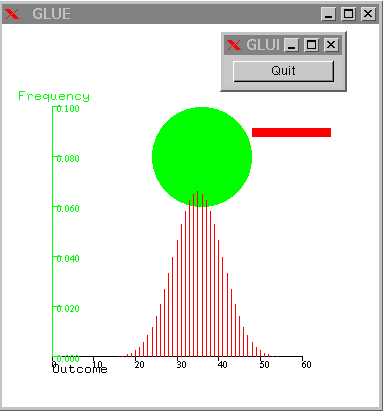 The Mich term
exercises create no graphics. In the Lent term we use the GLUE
library to create simple graphics.
The Mich term
exercises create no graphics. In the Lent term we use the GLUE
library to create simple graphics.
More Practice
You don't need our graphics or trading routines to practice C++ in your free time, but you do need a C++ compiler. You can get one for your own machine, work in the cloud or access the departmental machines remotely (see the next section)
Getting a C++ compiler
See our Installing C++ compilers page.
More exercises
Most computing books (including the Deitel & Deitel book on the booklist) offer simple exercises to try. Sites with more exercises include
Remote Access
 Want to work on the programs from outside CUED? Then look at the
Remote 1AComputing page.
Want to work on the programs from outside CUED? Then look at the
Remote 1AComputing page.
Still stuck?
 If you're in a timetabled programming session, try asking a
demonstrator. Otherwise, you'll find general C++ information on the help system's
C++
page, or you could mail your problem to
Tim Love (tl136), or ask him for a meeting.
If you're in a timetabled programming session, try asking a
demonstrator. Otherwise, you'll find general C++ information on the help system's
C++
page, or you could mail your problem to
Tim Love (tl136), or ask him for a meeting.
The Cambridge Coding Academy sometimes offers workshops.